
💡 How to Use ChatGPT to Draft Personalized Emails to Students
3 min read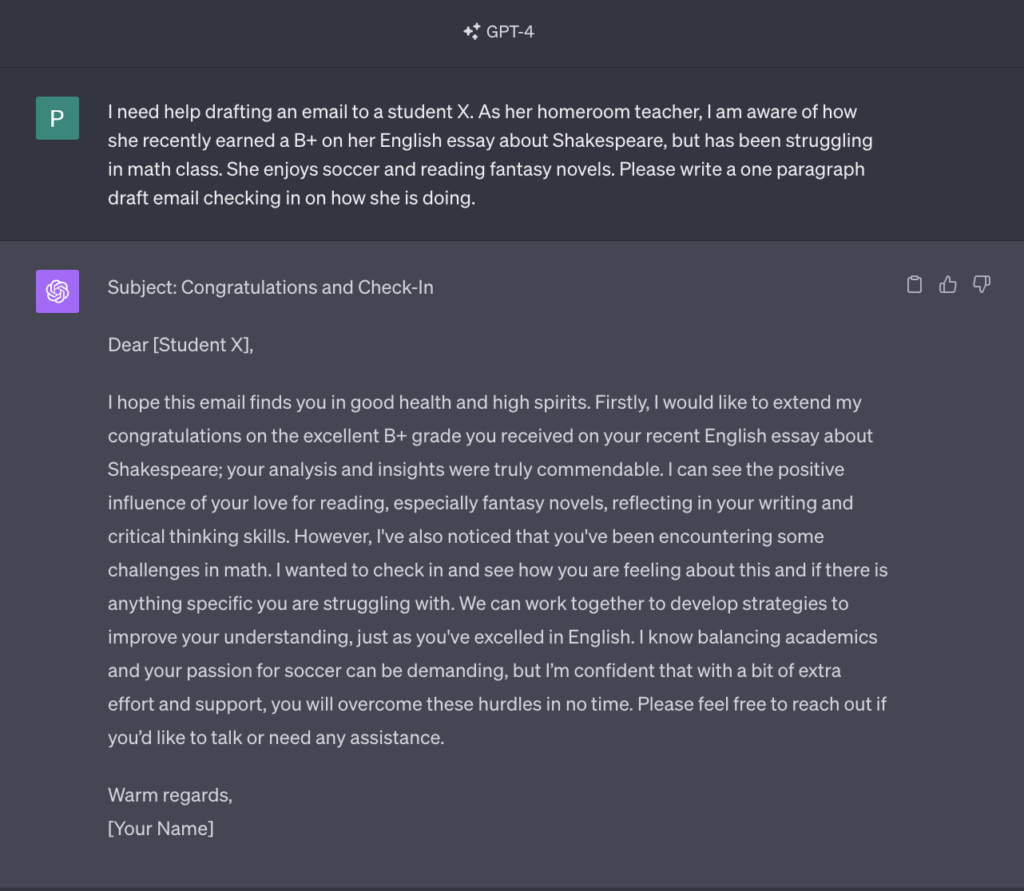
Email can feel impersonal. As an educator, you want to connect with each student individually. But drafting personalized emails takes time. That's where AI can help.
<!-- /wp:paragraph -->In this post, we'll walk through how to use ChatGPT to draft customized emails to students in just minutes. ✉️
<!-- /wp:paragraph -->🚩 Key Benefits of Using AI
<!-- /wp:heading -->- Save time - ChatGPT can generate draft emails for you to tweak
- <!-- /wp:list-item --> Add personalization - Tailor emails to each student's needs
- <!-- /wp:list-item --> Lighten your load - Focus on high-value tasks instead of drafting <!-- /wp:list-item -->
✅ Step-by-Step Instructions
<!-- /wp:heading -->Follow these steps to start using ChatGPT to draft emails:
<!-- /wp:paragraph -->1. Provide Student Context
<!-- /wp:paragraph -->Try this prompt:
<!-- /wp:paragraph -->“I need help drafting an email to student
Shortcode
[placeholder for student]
.
Shortcode
[Insert context]
”
<!-- /wp:paragraph -->
2. Review the Draft
<!-- /wp:paragraph -->-
Check that the tone and content fit the student
-
<!-- /wp:list-item -->
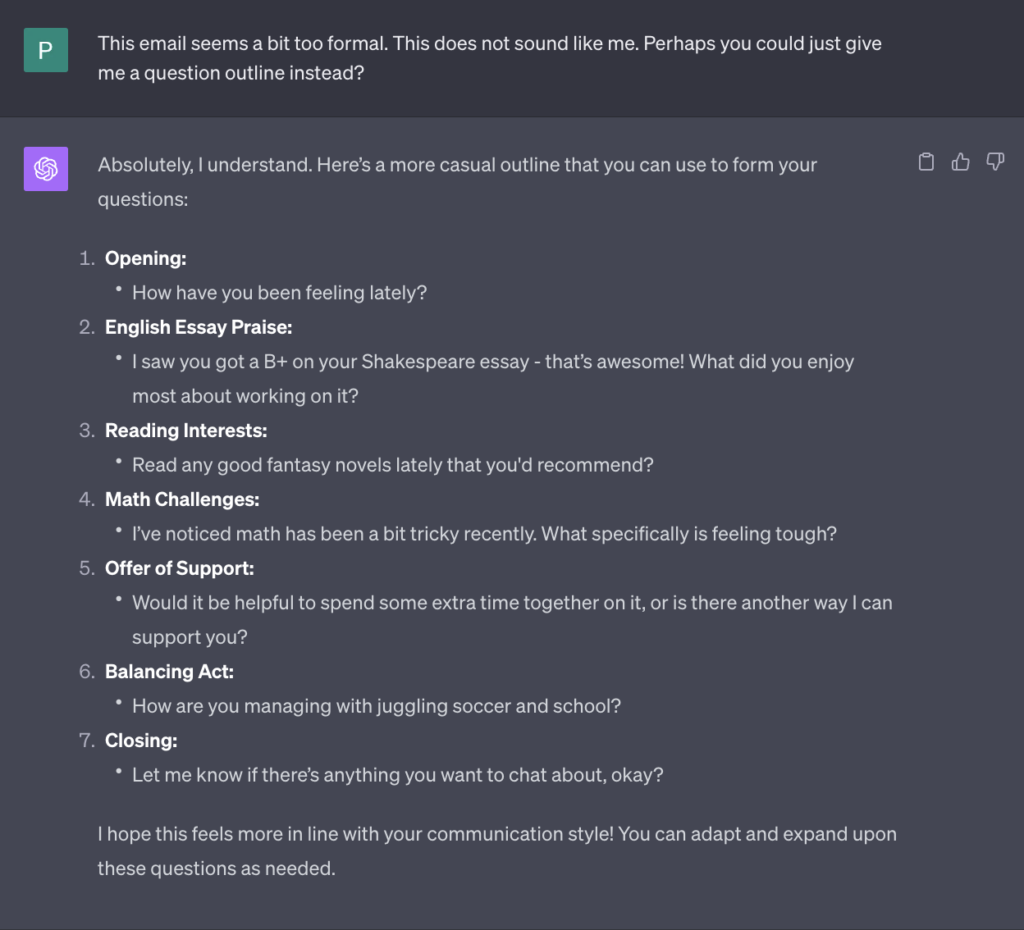
Make edits to improve the natural flow of the text. Rewrite to ensure your voice is heard through the writing.
-
For example, for this specific draft, you’re going to notice things that may feel off:
- Would writing “I hope this email finds you in good health and high spirits.” as your first sentence feel right for you?
- <!-- /wp:list-item --> Does it match the way you communicate with your student and how they prefer to communicate with you?
- <!-- /wp:list-item --> You know your students best. Tweak accordingly. <!-- /wp:list-item -->
-
3. Personalize Further
<!-- /wp:paragraph -->Try this prompt:
<!-- /wp:paragraph -->“Where else can I add personal touches to this email? Please add placeholders with suggestions”
<!-- /wp:paragraph -->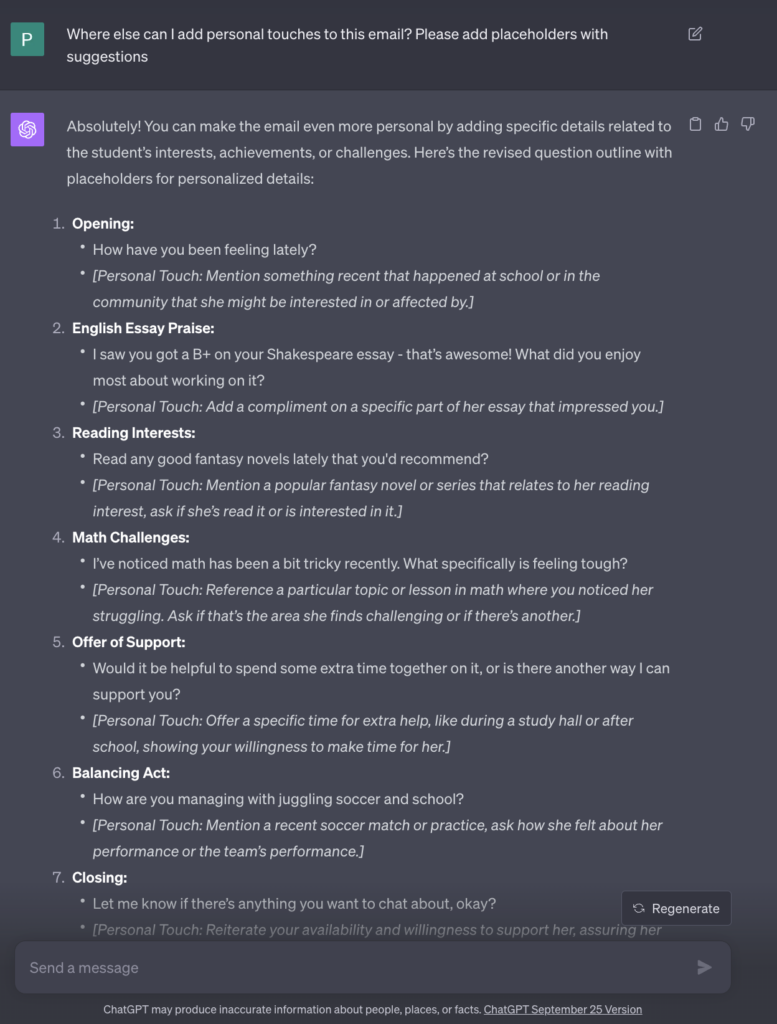
View the full conversation here (← click!)
<!-- /wp:paragraph -->Edit accordingly. Remember, AI is meant to assist you, not replace your own writing. While ChatGPT can provide a starting point and save you time, it's crucial to review and personalize the draft to ensure it accurately reflects your voice and the specific needs of the student.
<!-- /wp:paragraph -->Note:To ensure data privacy, please refrain from drafting your complete email, including student details, in ChatGPT. Instead, use the provided outline as a draft to get started.
<!-- /wp:paragraph -->4. Finalize
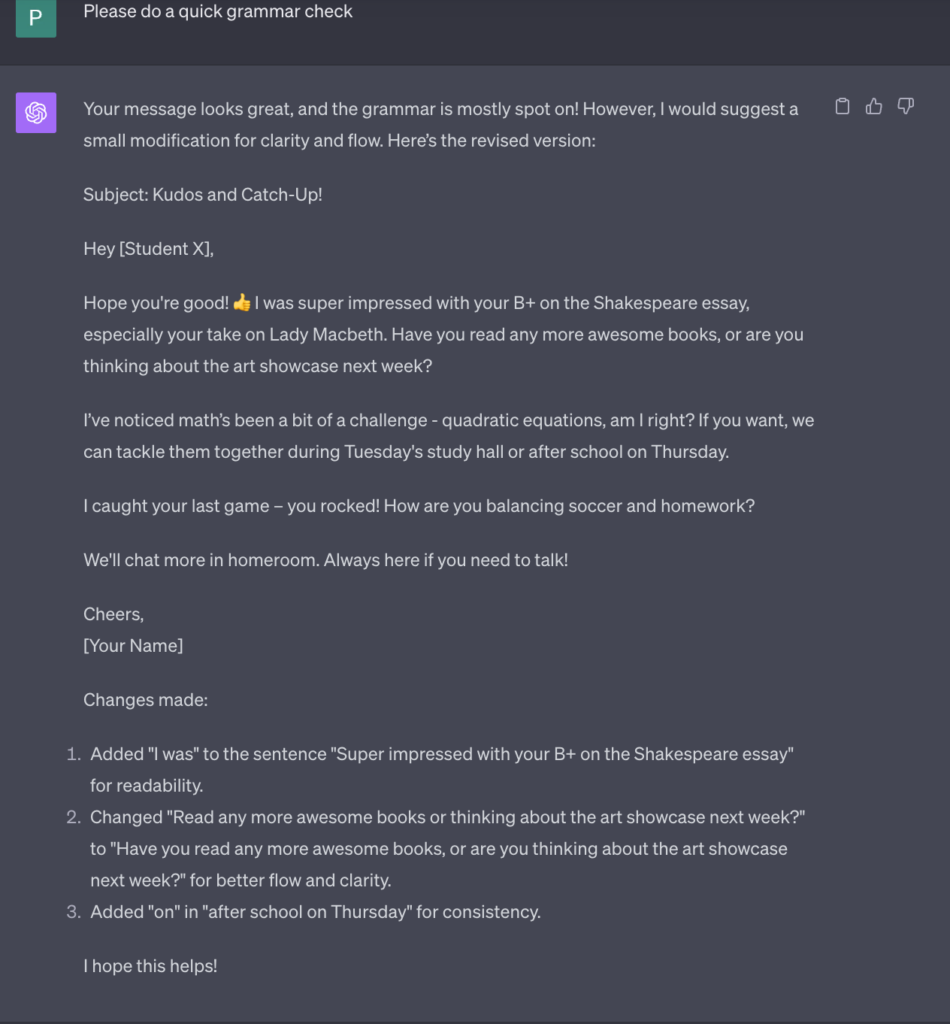
<!-- /wp:paragraph -->After filling out the personalized touches, you may feed it into ChatGPT or do it yourself. Here’s what it might look like if you use ChatGPT:
<!-- /wp:paragraph -->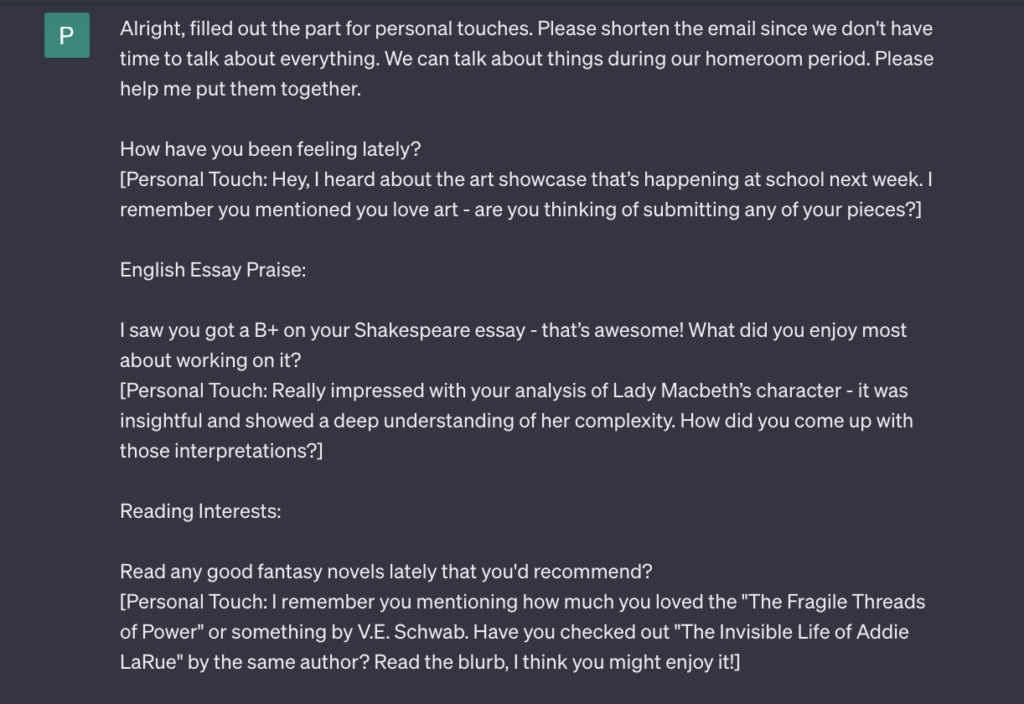
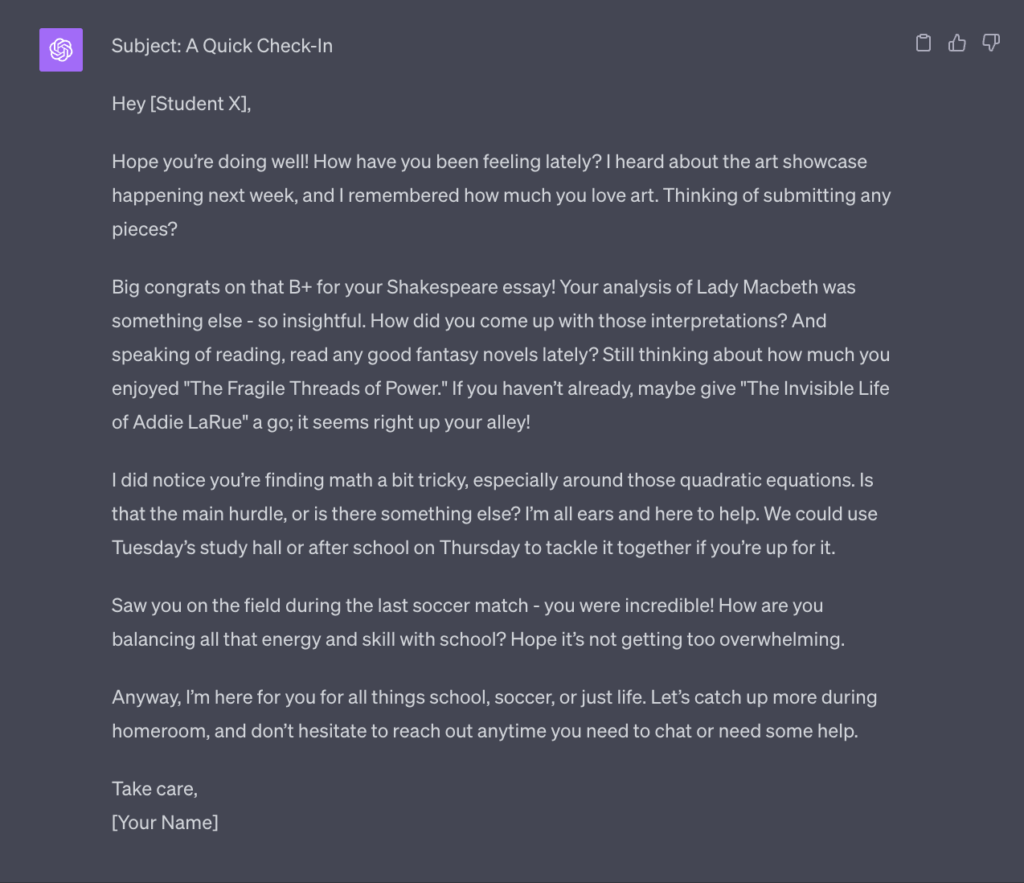
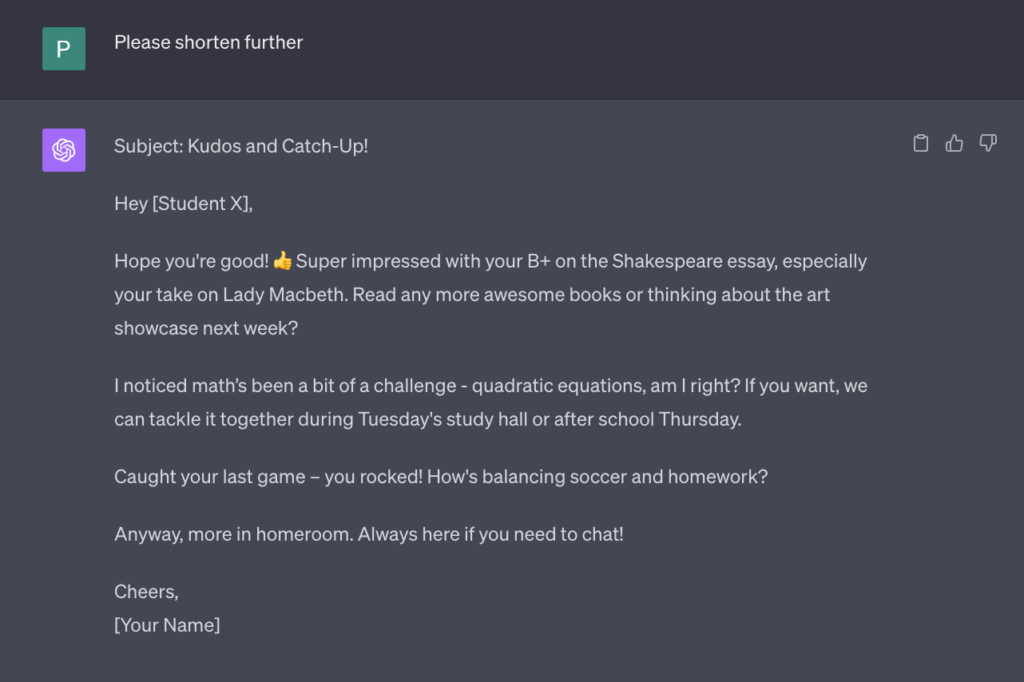
View the full conversation here (← click!)
<!-- /wp:paragraph -->- Double check for errors <!-- /wp:list-item -->
- Insert student name and sign your name
- <!-- /wp:list-item --> Send the personalized email <!-- /wp:list-item -->
🚩 Always reread emails drafted by AI before sending. Use them as a starting point to customize further.
<!-- /wp:paragraph -->💡 Tips for Success
<!-- /wp:heading -->- Ensure data privacy - only use placeholders. Do not provide publicly identifiable information regarding the student.
- <!-- /wp:list-item --> Provide enough context - Give ChatGPT details on the student's background, interests, and recent performance.
- <!-- /wp:list-item --> Set the desired tone - Let ChatGPT know if you want an email that is casual, formal, encouraging, etc.
- <!-- /wp:list-item --> Check for accuracy - Make sure details like class performance are correct.
- <!-- /wp:list-item --> Watch for repetition - If generating multiple emails, check that messages aren't repetitive. <!-- /wp:list-item -->
🏁 Get Started with Personalized Student Emails
<!-- /wp:heading -->Drafting thoughtful, individualized emails to students is now possible, even for busy educators.
<!-- /wp:paragraph -->With some guidance, ChatGPT can help generate initial drafts. You simply provide student context, make edits, add personalization, and finalize the messages.
<!-- /wp:paragraph -->Now you can connect with students in a more meaningful way, while saving time for other high-impact tasks.
<!-- /wp:paragraph -->What will you do with the extra hours? 💭
<!-- /wp:paragraph -->