
Using ChatGPT to Help Automate Your Grading Rubrics 📊🤖
4 min read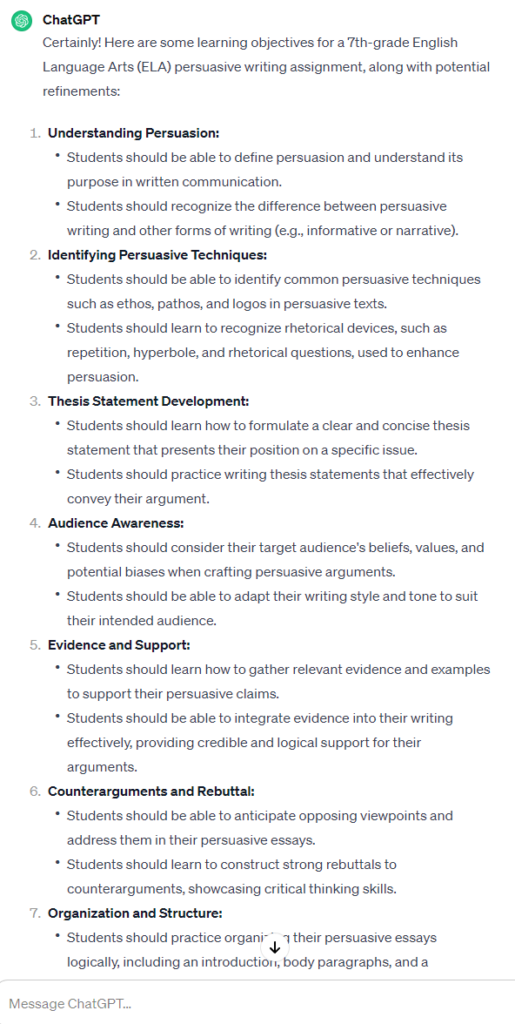
As a teacher, do you find rubric creation time-consuming? ChatGPT is here to streamline your grading process! Let's explore how ChatGPT can be your grading assistant!
<!-- /wp:paragraph -->🚩 The Power of AI in Grading
<!-- /wp:heading -->- Efficiency in Rubric Creation - ChatGPT quickly formulates detailed rubrics, saving you hours.
- <!-- /wp:list-item --> Consistency in Evaluation - Automated rubrics ensure uniform assessment standards.
- <!-- /wp:list-item --> Adaptability to Different Assignments - ChatGPT can tailor rubrics to various assignment types. <!-- /wp:list-item -->
🎯 1. Set the Rubric Foundation
<!-- /wp:heading -->Define Clear Learning Objectives: First, copy-paste your assignment or at least give ChatGPT an idea of what it is. Then ask yourself, what should students achieve?
<!-- /wp:paragraph -->-
Try this prompt: "Brainstorm and add or refine learning objectives for a [subject/grade level]
Shortcode
[assignment].”
<!-- /wp:list-item -->
View the full conversation here (← click!)
<!-- /wp:image -->Identify Specific Assessment Criteria: What skills and knowledge are you evaluating?
<!-- /wp:paragraph -->-
Try this prompt: "Outline detailed assessment criteria for a
Shortcode
[type of assignment]."
<!-- /wp:list-item -->
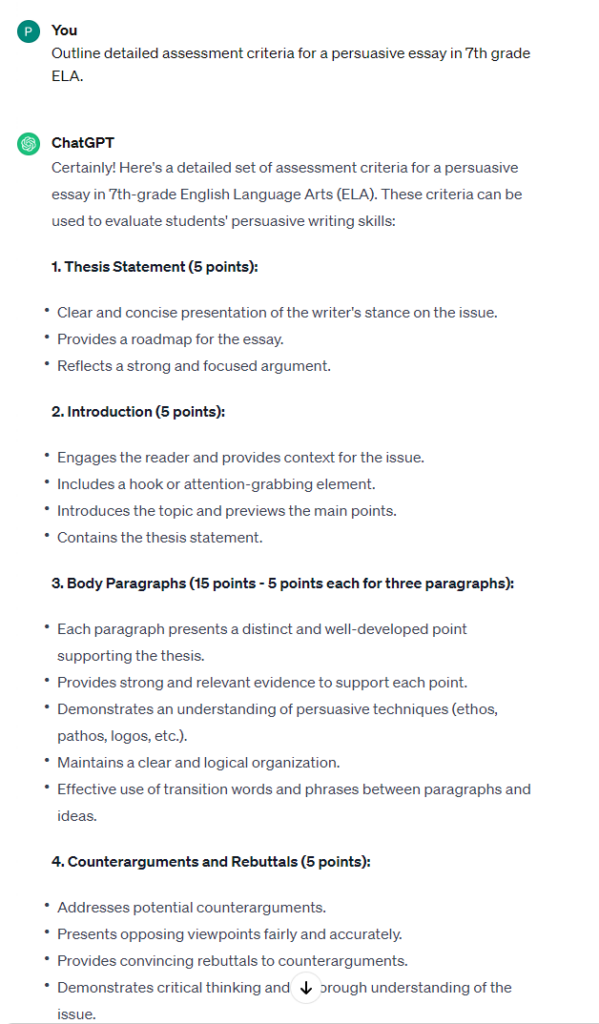
View the full conversation here (← click!)
<!-- /wp:image -->Establish Performance Levels: Create categories like excellent, good, and so on.
<!-- /wp:paragraph -->- Try this prompt: "Define distinct performance levels for a rubric in [subject/assignment type]." <!-- /wp:list-item -->
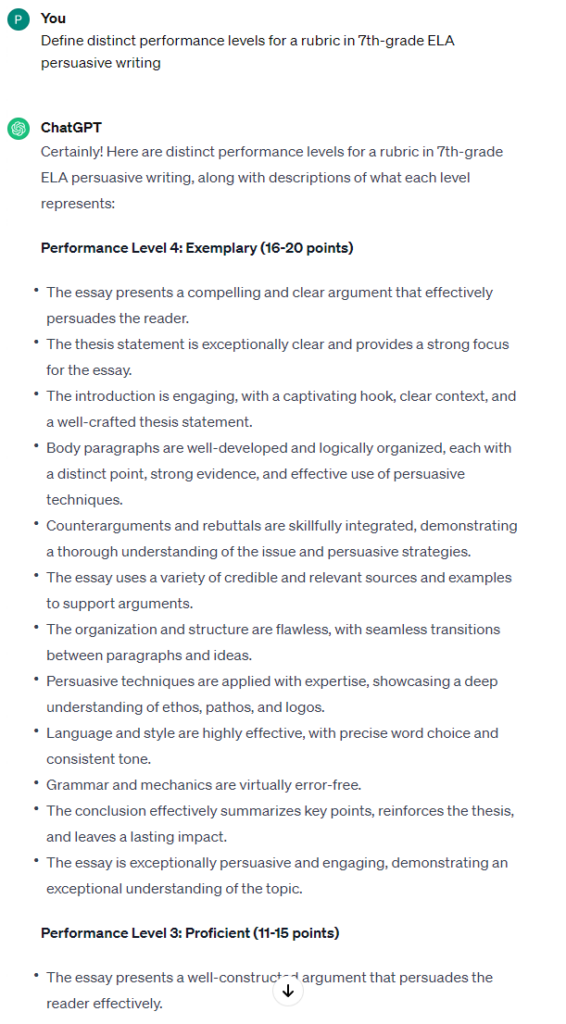
View the full conversation here (← click!)
<!-- /wp:image -->🚀 2. Treat ChatGPT as your Crafting Partner
<!-- /wp:heading -->Provide Detailed Assignment Instructions:
<!-- /wp:paragraph -->Give ChatGPT all the assignment nuances.
<!-- /wp:paragraph -->-
Try this prompt: "Formulate a rubric for
Shortcode
[assignment type]focusing on
Shortcode
[specific elements]."
<!-- /wp:list-item -->
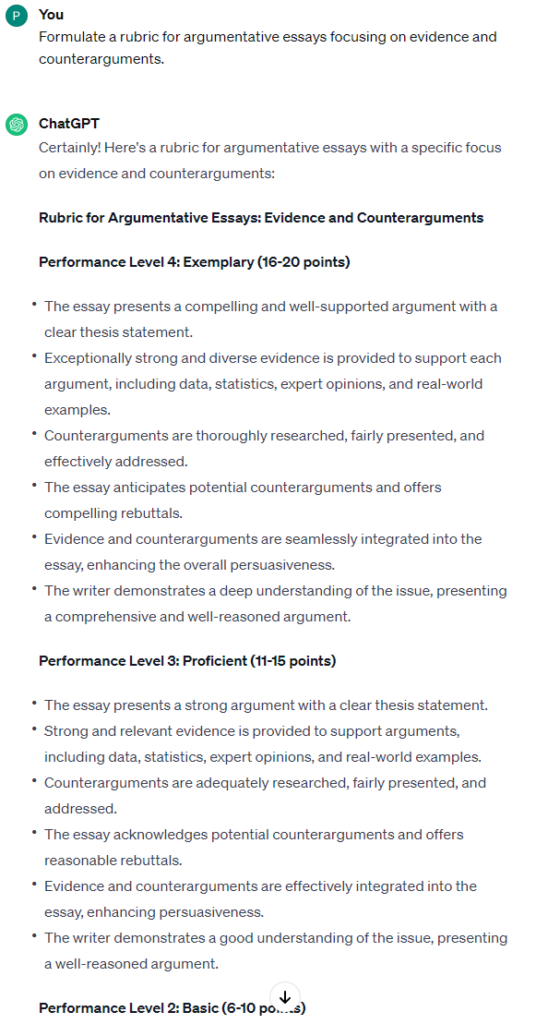
View the full conversation here (← click!)
<!-- /wp:image -->Use Examples for Clarity:
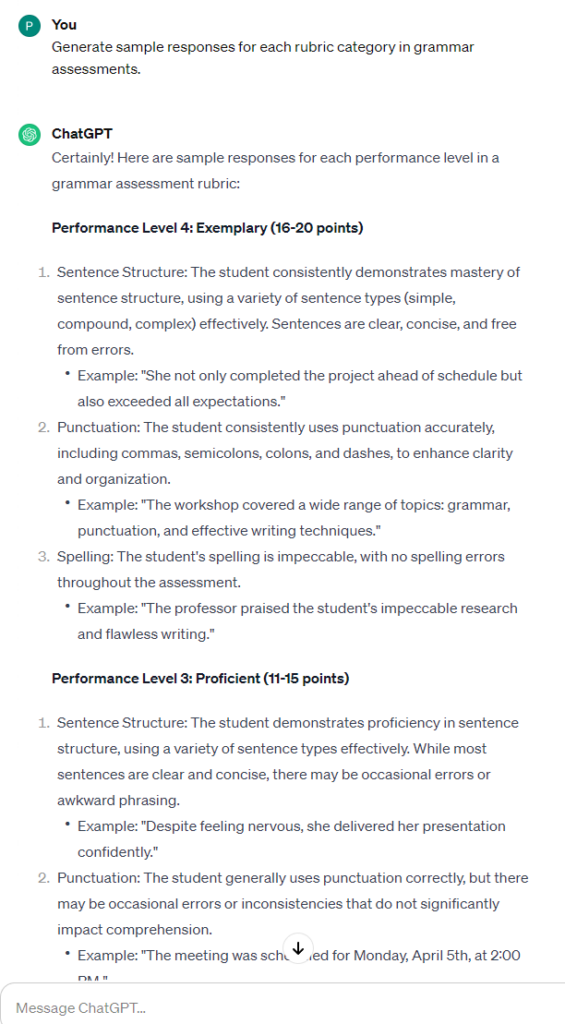
<!-- /wp:paragraph -->Show what different performance levels look like.
<!-- /wp:paragraph -->-
Try this prompt: "Generate sample responses for each rubric category in
Shortcode
[assignment type]."
<!-- /wp:list-item -->
View the full conversation here (← click!)
<!-- /wp:image -->Direct ChatGPT with Precise Prompts:
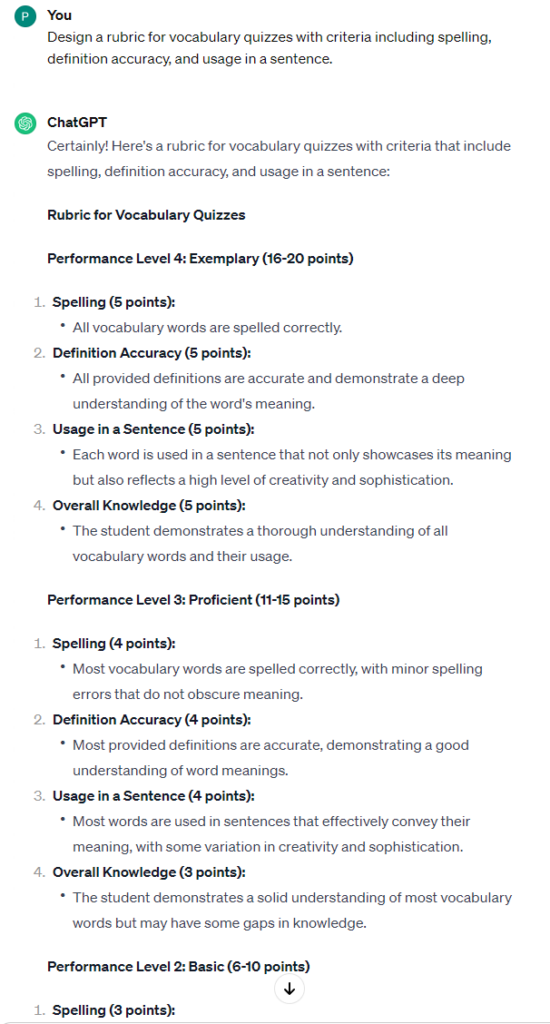
<!-- /wp:paragraph -->Lead the AI to your preferred rubric style.
<!-- /wp:paragraph -->-
Try this prompt: "Design a rubric for
Shortcode
[assignment type]with criteria including
Shortcode
[list of criteria]."
<!-- /wp:list-item -->
View the full conversation here (← click!)
<!-- /wp:image -->✏️ 3. Personalize and Refine
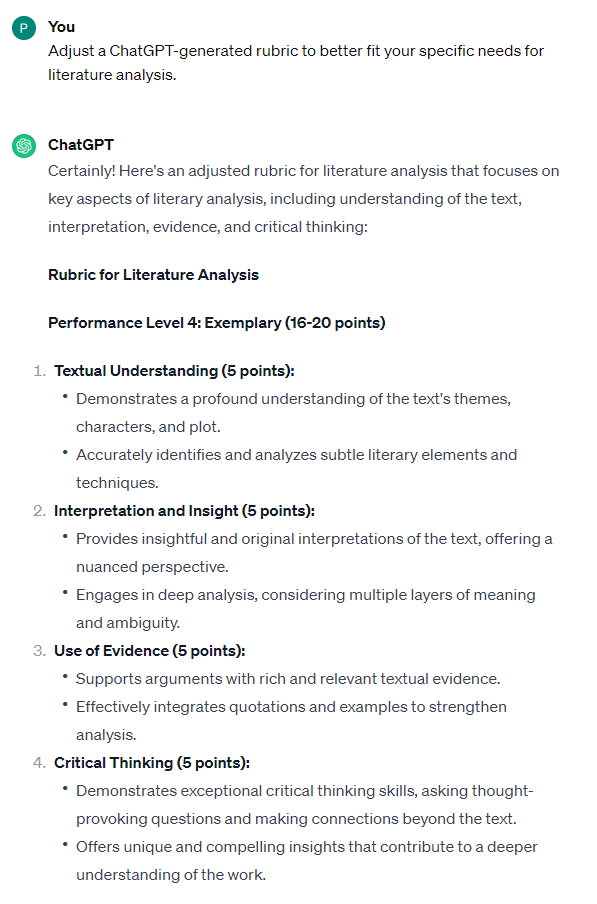
<!-- /wp:heading -->Review ChatGPT's Rubric Draft:
<!-- /wp:paragraph -->Does it align with your expectations?
<!-- /wp:paragraph -->-
Try this prompt: "Adjust a ChatGPT-generated rubric to better fit
Shortcode
[your specific needs]."
<!-- /wp:list-item -->
View the full conversation here (← click!)
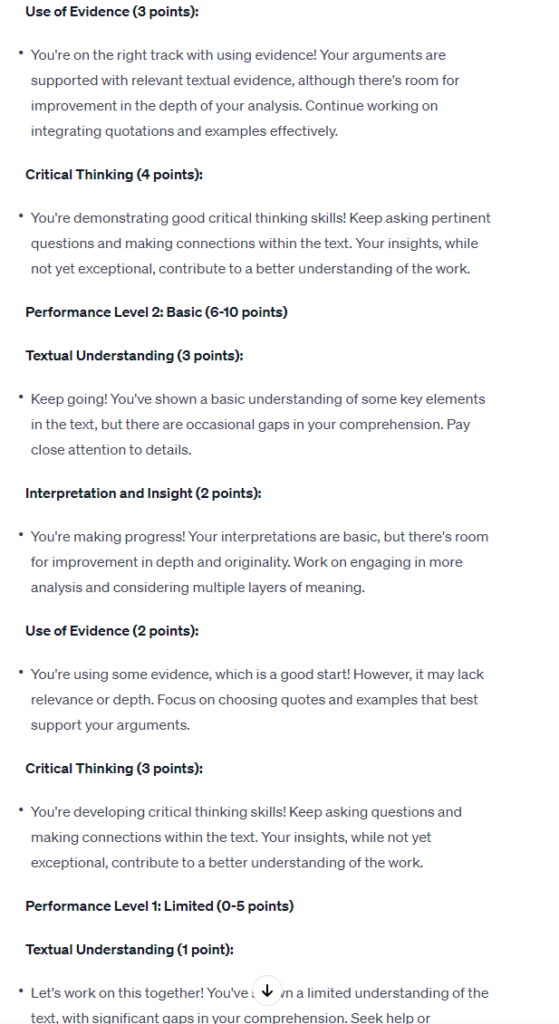
<!-- /wp:image -->Customize the Language and Format:
<!-- /wp:paragraph -->Tailor it to resonate with your teaching style.
<!-- /wp:paragraph -->-
Try this prompt: "Rewrite the rubric in my teaching voice, focusing on
Shortcode
[specific aspect]."
<!-- /wp:list-item -->
View the full conversation here (← click!)
<!-- /wp:image -->🎓 4. Train ChatGPT for Your Grading Style
<!-- /wp:heading -->Provide Your Graded Examples:
<!-- /wp:paragraph -->Help ChatGPT learn your grading preferences.
<!-- /wp:paragraph -->- Try this prompt: "Analyze these graded assignments and adjust the rubric based on my comments." <!-- /wp:list-item -->
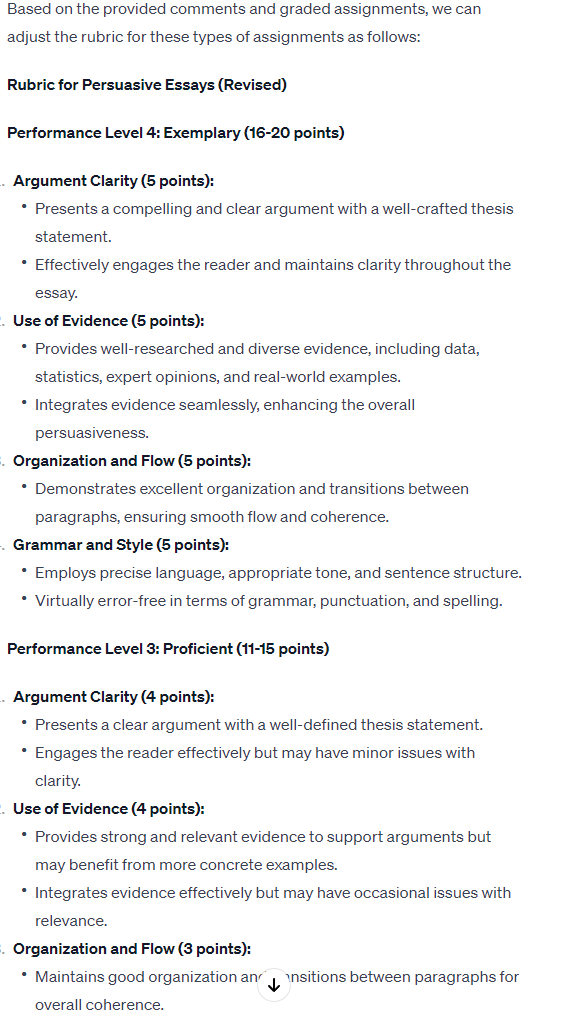
View the full conversation here (← click!)
<!-- /wp:image -->Refine the AI's Understanding Over Time:
<!-- /wp:paragraph -->The more you use it, the better it gets.
<!-- /wp:paragraph -->-
Try this prompt: "Update the rubric format according to recent feedback I provided on
Shortcode
[assignment type]."
<!-- /wp:list-item -->
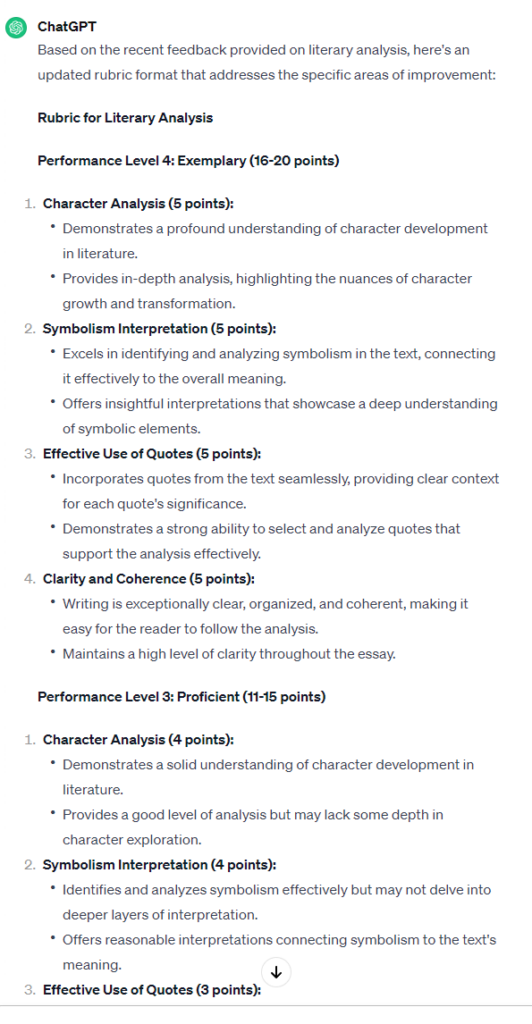
View the full conversation here (← click!)
<!-- /wp:image -->🚀 5. Streamline Grading and Address Common Mistakes
<!-- /wp:heading -->Apply the Rubric for Consistent Grading:
<!-- /wp:paragraph -->Grade efficiently with your rubric.
<!-- /wp:paragraph -->-
Try this prompt: "Generate quick grading comments based on this rubric for
Shortcode
[assignment type]."
<!-- /wp:list-item -->
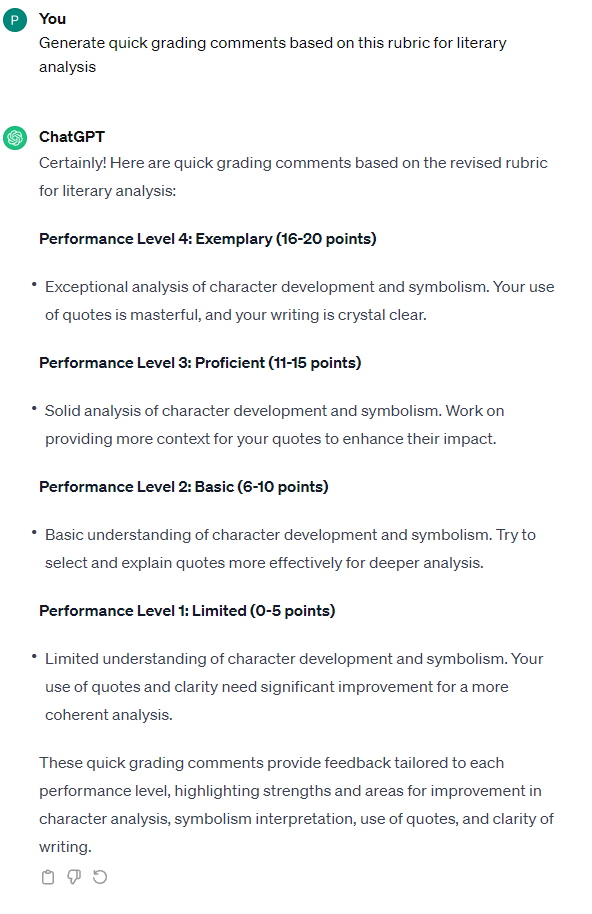
View the full conversation here (← click!)
<!-- /wp:image -->Automate Feedback on Common Errors:
<!-- /wp:paragraph -->Use ChatGPT to provide targeted advice on frequent student mistakes.
<!-- /wp:paragraph -->-
Identify Common Errors: Recognize usual issues like "Incorrect thesis structure," "Weak argumentation," "Grammatical errors."
-
<!-- /wp:list-item -->
Provide Corrective Feedback: Use ChatGPT to create specific feedback that addresses these errors.
-
Try this prompt: "Create feedback for
Shortcode
[common errors]in
Shortcode
[assignment type]."
<!-- /wp:list-item -->
-
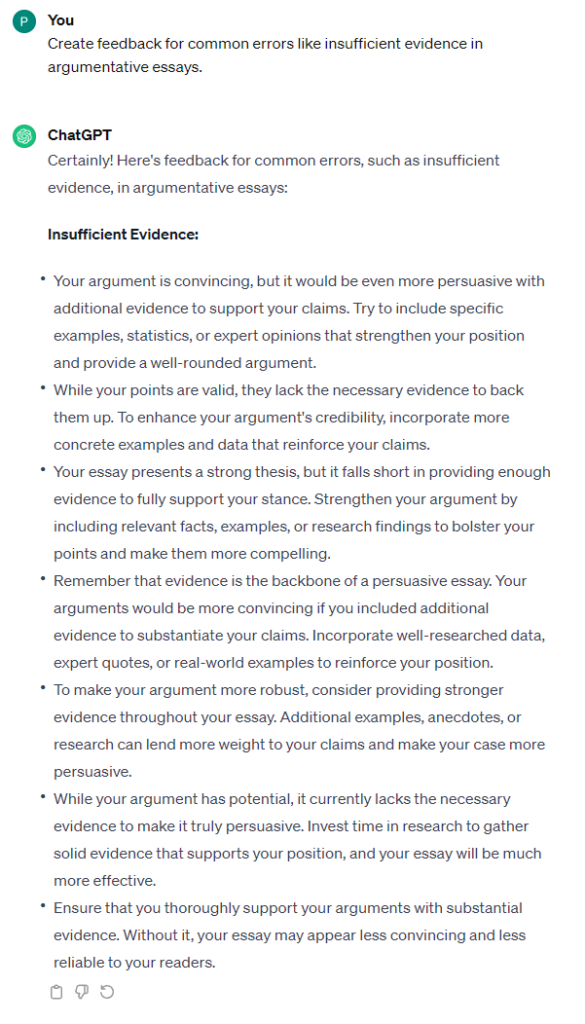
View the full conversation here (← click!)
<!-- /wp:image -->🌟 Bonus Tips for Teachers
<!-- /wp:heading -->- Begin with straightforward assignments.
- <!-- /wp:list-item --> Collaborate with peers on rubric creation.
- <!-- /wp:list-item --> Remember, ChatGPT complements your expertise; it doesn't replace it. <!-- /wp:list-item -->
Conclusion:
<!-- /wp:heading -->ChatGPT offers an innovative way to automate and refine grading rubrics, saving you time and enhancing the assessment process. Ready to embrace this AI-powered approach? Start your journey towards efficient, consistent, and insightful grading today! 🌟📝
<!-- /wp:paragraph -->